If the GLView license has expired and updated and valid version need to be put into the program path:
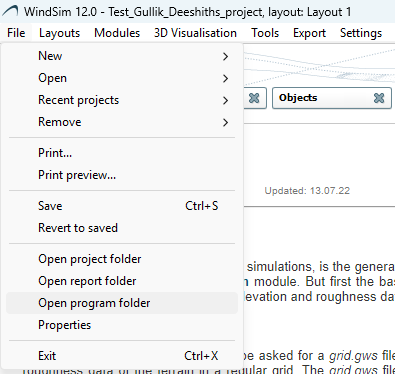
- Open WindSim 12 and go to file - > Open program folder
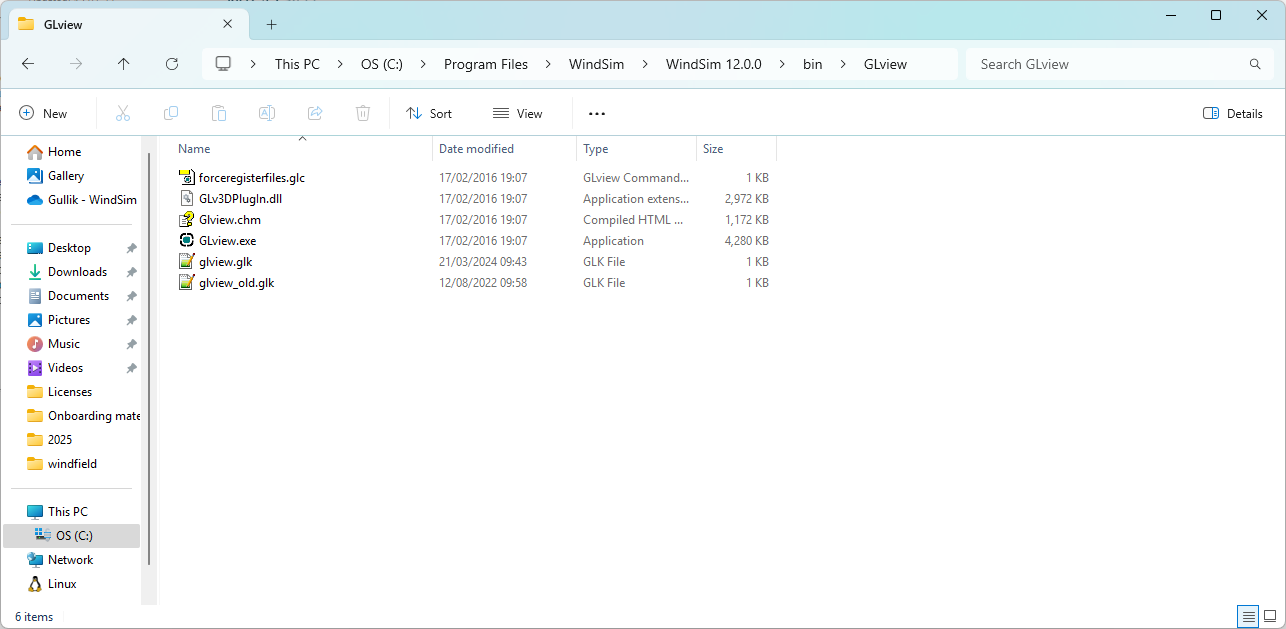
- Place the file in <WindSim 12 path>\bin\GLView\
- Point GLView to the file if needed
![WindSim logo.jpg]](https://windsim-25043726.hs-sites-eu1.com/hs-fs/hubfs/Logo/WindSim%20logo.jpg?height=50&name=WindSim%20logo.jpg)
If the GLView license has expired and updated and valid version need to be put into the program path: